Go To Line in Sublime Text
In Sublime Text, you can quickly jump to any line in the code. Hit Ctrl–G (Mac and Windows). Type in a line number and hit Return/Enter to go to that line.
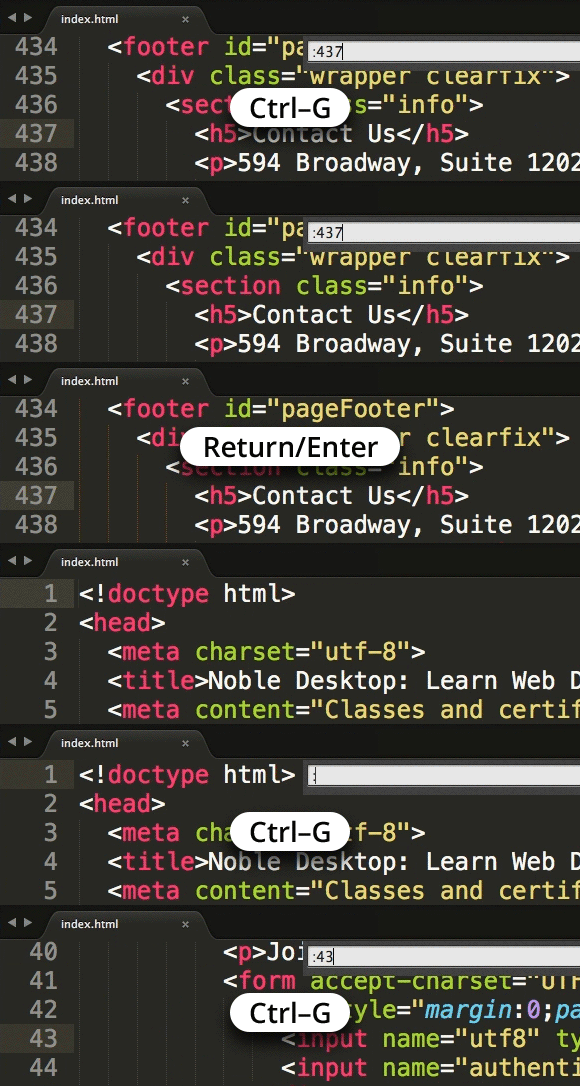

In Sublime Text, you can quickly jump to any line in the code. Hit Ctrl–G (Mac and Windows). Type in a line number and hit Return/Enter to go to that line.
Aspiring coders often ask, should I learn front-end or back-end development? The best coding language to learn and whether you learn front or back-end development depends on what you intend to do. Different languages are used to create webpage layouts, style text, create slideshows, build ecommerce functionality, program search functions, etc. Some software, such as Salesforce, allow you to customize the software to your needs with specific coding languages.
The two primary categories of coding languages for the web are:
What about frameworks? Framework (such as Bootstrap, jQuery, and GreenSock) are not coding languages, they are collections of code that allow you to do things more efficiently in a specific language. For example, the Bootstrap framework consists of CSS and JavaScript that simplify complex processes like creating grid-based layouts, buttons, menus, and more. jQuery and GreenSock are JavaScript frameworks that let you quickly add interactive JavaScript functionality to websites, faster than writing plain JavaScript.

To jump to the beginning or end of the line, hold Cmd and hit Left or Right Arrow (Mac). Windows users, hit Home to jump to the beginning of the line and End to jump to the end of the line. This is an operating system feature so it should work in any text editor.

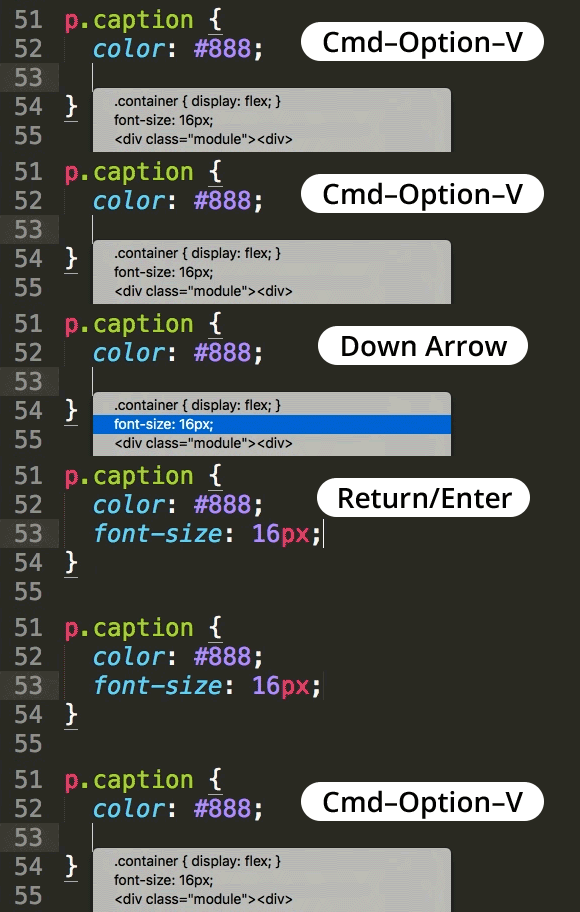
Sublime Text remembers the last 15 items you’ve copied and you can paste any one of them!
Hit Cmd–Option–V (Mac) or Ctrl–K then Ctrl–V in quick succession (Windows) to access the list of copied items. Use the arrow keys to select an item and hit Return/Enter to paste.
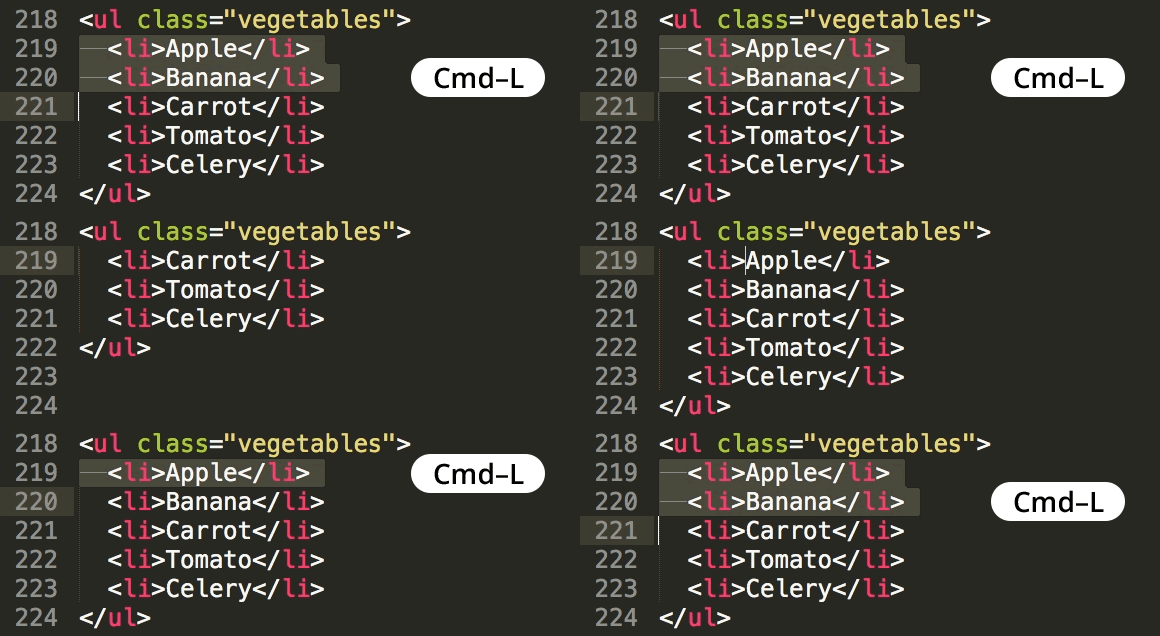
In Sublime Text, you can select lines with a keystroke. Hit Cmd–L (Mac) or Ctrl–L (Windows) to select the current line. Repeat the keystroke to add the line below.
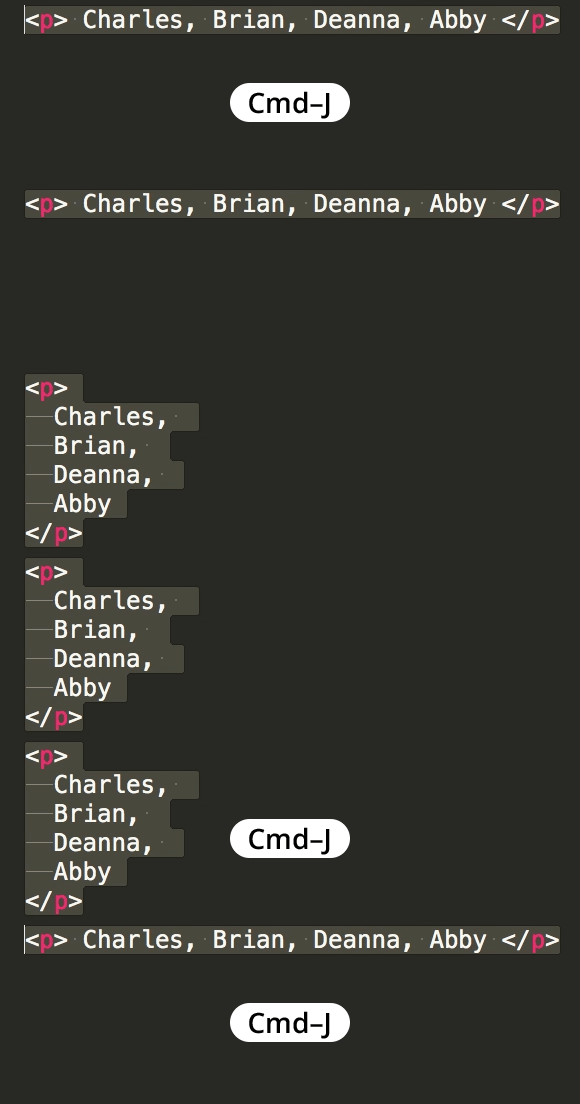
Sublime Text allows you to quickly join lines together. Select the lines and hit Cmd–J (Mac) or Ctrl–J (Windows).
If nothing is selected, Sublime Text will join the line below to the current line.
We launched a major website redesign earlier this month and we’d like to share some insights into the process. We’ll be discussing UX improvements, user testing, how to handle lots of content, CSS grid, flexbox, and speed.
We completely overhauled the visual look of the site, but one of the primary goals was to make the site easier to use. The last time we redesigned our website, we taught fewer classes. We simply outgrew that design.
Our previous registration process required multiple screens and was too complicated. We knew we could make it faster and easier, and we've already seen improved conversion rates. You can now see all class dates directly on a class page (at both the top and bottom of the page, so they are easy to find). One click and the class is added to your cart.
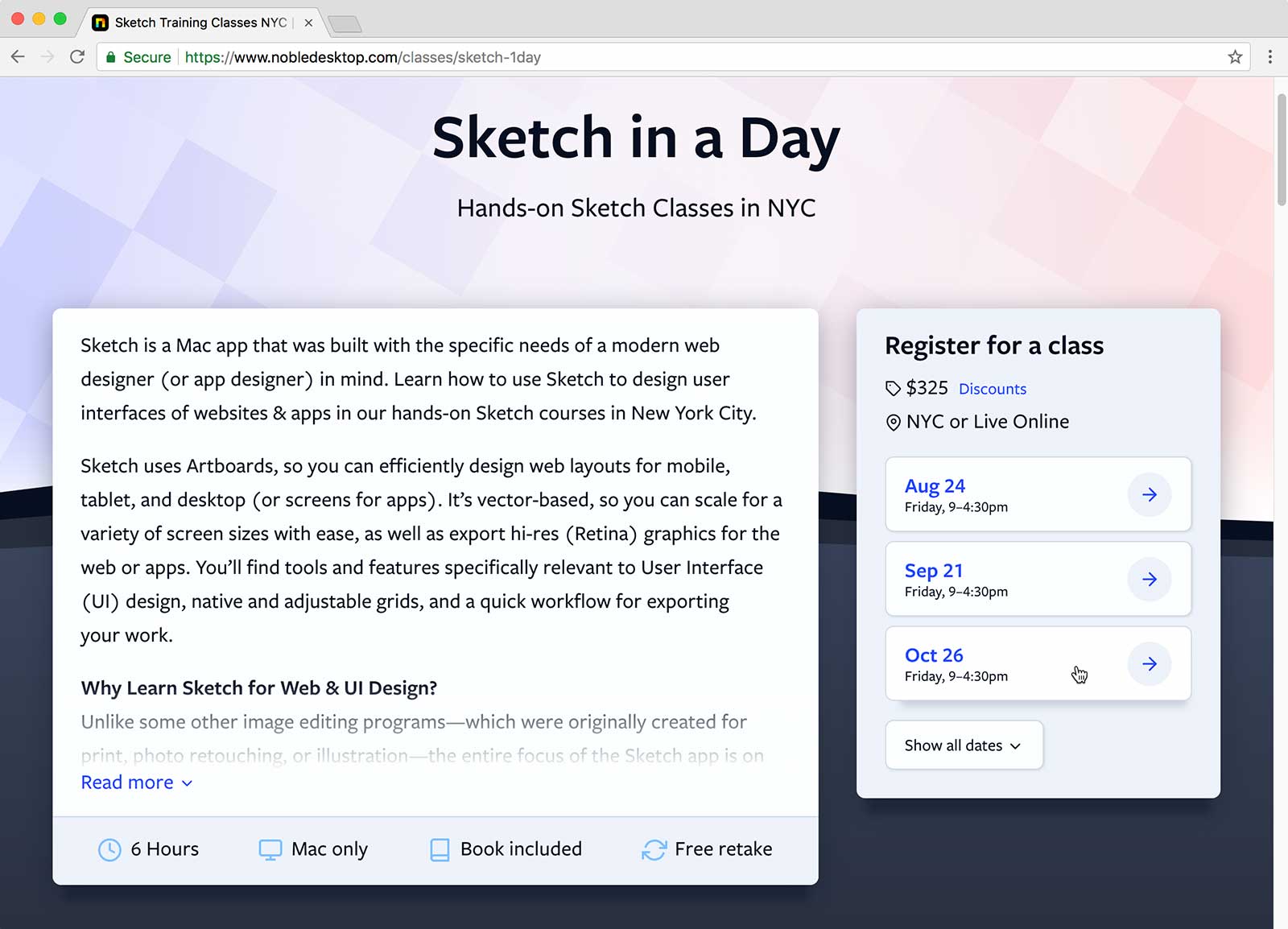
An even bigger improvement is for certificate programs which contain multiple classes. Previously you couldn't see the dates on the certificate page and had to go to another screen to select the certificate program. Now you see all the dates, and one click adds all the appropriate classes to your cart. The results we've seen in just a few weeks prove what we already knew, simple and easy = more conversions.
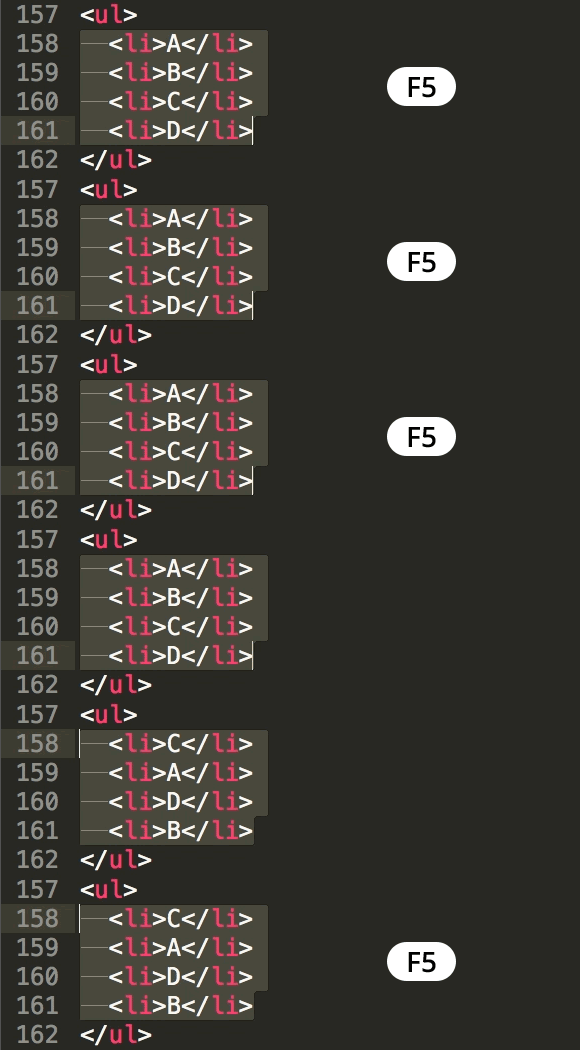
Sublime Text allows you to quickly sort lines alphabetically. Select the lines you want to sort and choose Edit > Sort Lines. You can also use the keystroke F5 (Mac) or F9 (Windows).
How do we animate in this day and age of HTML5? Should you use animated GIFs, CSS, or JavaScript? Animation is coming back to the web in a big way, and the trend is to make things move. You can even add animations to emails. Learn about creating animations with CSS, JavaScript (GreenSock), Photoshop, and After Effects in this free class!
View the Presentation Slides
Download Demo Files & PDF Exercise
LEARN GREENSOCK:
Videos + Book Training:
Class (attend in New York City or Live Online)
Book (eBook or Print)
-----------------------
LEARN ADOBE AFTER EFFECTS:
Classes (attend in New York City or Live Online)
Books (eBook or Print)
-----------------------
LEARN ANIMATED GIFS:
Class (attend in New York City or Live Online):
Book (eBook or Print)
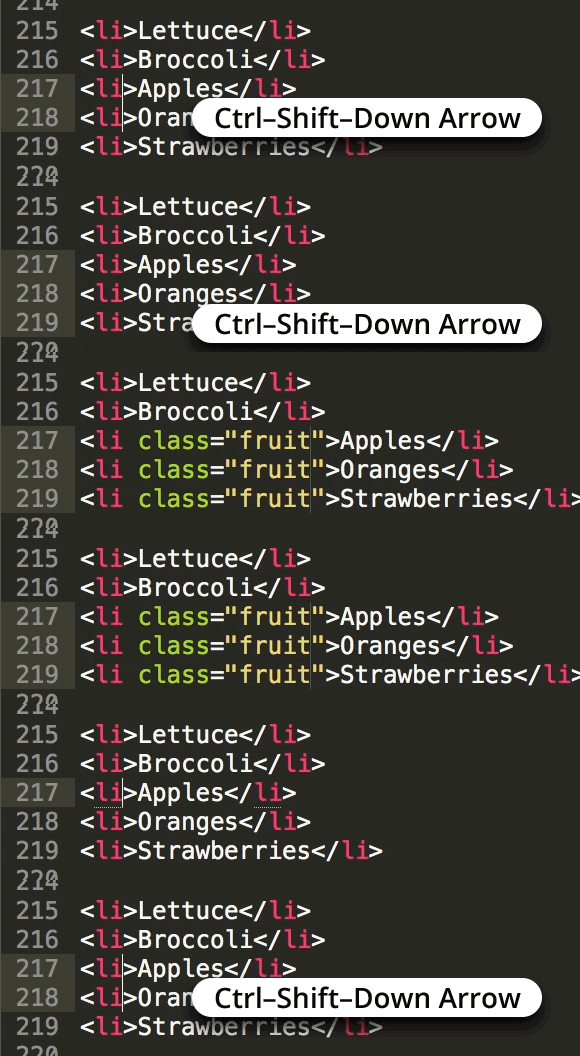
While you can place multiple text cursors in Sublime Text with Cmd–Click (Mac) or Ctrl–Click (Windows), here's another technique that comes in handy.
Hold Ctrl–Shift (Mac) or Ctrl–Alt (Windows) and hit Up or Down Arrow to place an additional text cursor above or below the current cursor.
Windows Users: Ctrl–Alt and Arrow keys may rotate the screen. You may need to change or disable those keystrokes in your display settings.