What we send
Students of Noble Desktop can opt in to receive text messages from our staff about their registration and account. These are conversational messages sent by a member of our team, for example confirming a class date, following up on a rescheduling request, or answering a question about an invoice. We do not send marketing or promotional text messages.
Consent is optional
Consent is not a condition of purchase or enrollment. You can register for any class, pay any invoice, and use every part of your account without ever opting in to text messages. Text messaging is off by default for every student, and no one is opted in on your behalf.
Message frequency varies. Msg & data rates may apply. Reply STOP to opt out, HELP for help.
How to opt in
Opting in happens in your Classes Portal account, after you have registered for a class. It is never bundled into checkout or into our terms of service. There are two places to do it.
The prompt shown when you sign in
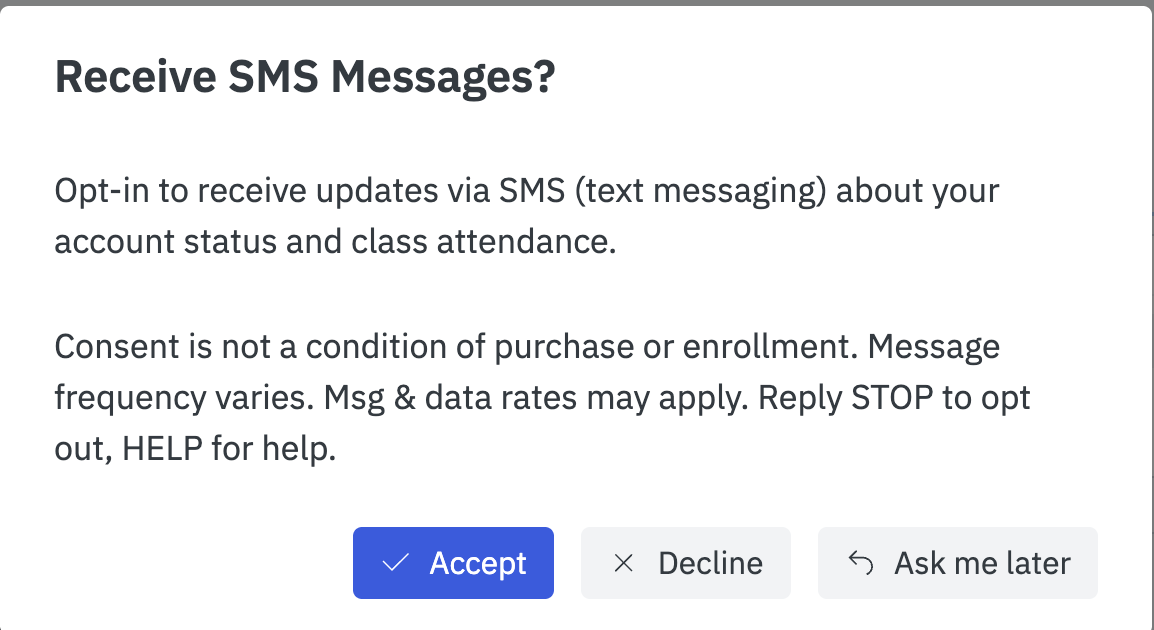
Until you make a choice, signing in to your Classes Portal account shows this prompt. Declining or dismissing it leaves text messaging off.
Your account settings, at any time
- Sign in to your Classes Portal account.
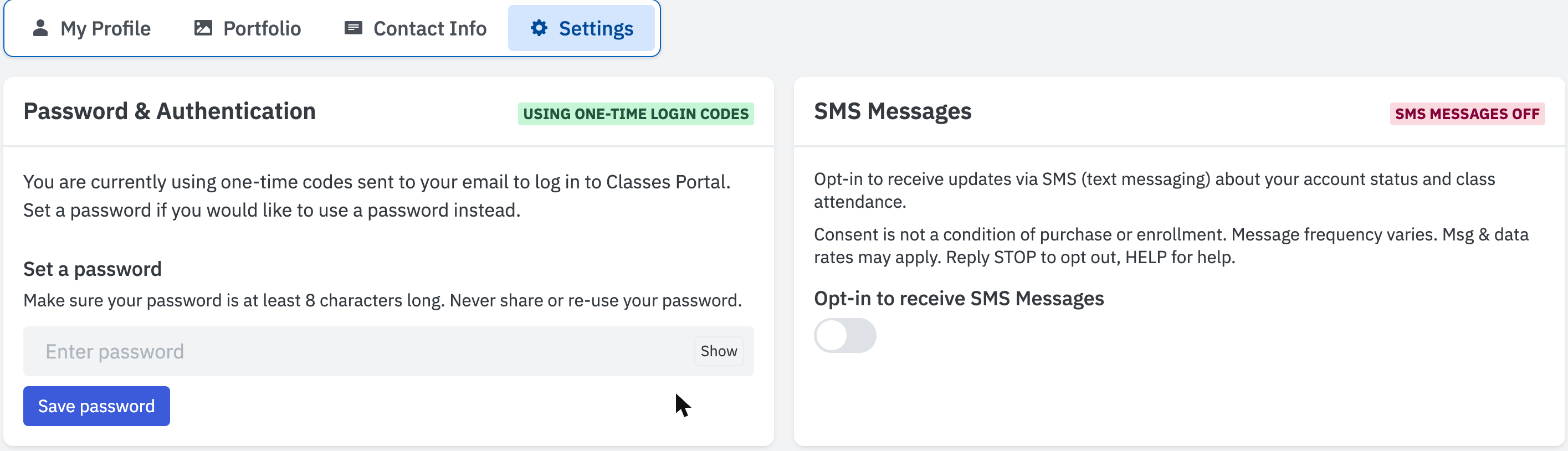
- Open Settings from the top right, then choose the Settings tab.
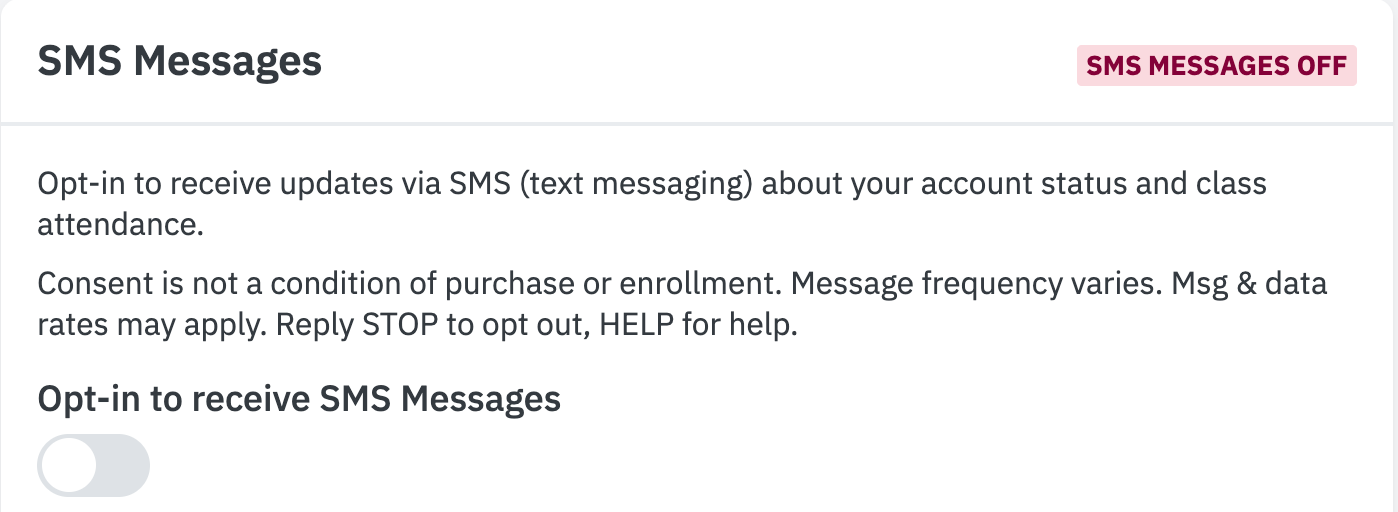
- Find the SMS Messages panel.
- Turn on Opt-in to receive SMS Messages.
How to opt out
You can withdraw consent at any time, in either of two ways:
- Reply STOP to any message we send you.
- Turn Opt-in to receive SMS Messages back off in your Classes Portal settings, on the same screen shown above.
Reply HELP to any message for help, or contact us at hello@nobledesktop.com or (212) 226-4149.
Your information
Mobile phone numbers and SMS opt-in consent will not be shared with or sold to third parties or affiliates for marketing or promotional purposes. See our Privacy Policy for how we store and handle this information, and our Class Terms for our cancellation and rescheduling policies.